
Tech
അനാവശ്യ സന്ദേശങ്ങളെയും അജ്ഞാത കോൺടാക്റ്റുകളെയും തുരത്താം, വാട്സ്ആപ്പിൽ നമ്പറുകൾ ബ്ലോക്ക് ചെയ്യാനായുള്ള രണ്ട് രീതികൾ ഇതാ


ലോകത്ത് ഏറ്റവും കൂടുതൽ ആളുകൾ ഉപയോഗിക്കുന്ന ഇൻസ്റ്റന്റ് മെസേജിംഗ് അപ്ലിക്കേഷൻ ആണ് വാട്സ്ആപ്പ്. ഒരു ചാറ്റ് പ്ലാറ്റ്ഫോം എന്നതിലുപരി വാട്സ്ആപ്പ് പേ അടക്കമുള്ള മൂല്യാധിഷ്ഠിത സേവനങ്ങളും വാട്സ്ആപ്പിലുണ്ട്. കോടിക്കണക്കിന് ആളുകളാണ് തങ്ങളുടെ സുഹൃത്തുക്കൾ, കുടുംബം, ബന്ധുക്കൾ, സഹപ്രവർത്തകർ എന്നിവരുമായി ആശയവിനിമയം നടത്താൻ വാട്സ്ആപ്പ് ഉപയോഗിക്കുന്നത്. ഒട്ടേറെ ഗുണങ്ങൾ വാട്സ്ആപ്പ് കൊണ്ടുണ്ടെങ്കിലും അതേപോലെ തന്നെ ദോഷ വശങ്ങളും ഈ ആപ്പിനുണ്ട്. അനാവശ്യ സന്ദേശങ്ങൾ, സ്പാം, അജ്ഞാത കോൺടാക്റ്റുകൾ എന്നിവ വാട്സ്ആപ്പ് വഴി നമുക്ക് ലഭിക്കാറുണ്ട്. ഇവ പല ഉപയോക്താക്കൾക്കും വളരെ ബുദ്ധിമുട്ടുണ്ടാക്കാറുമുണ്ട്. ഇത്തരം ഒരു പ്രശ്നം നിങ്ങളും നേരിടുന്നുണ്ടെങ്കിൽ ആശങ്കപ്പെടേണ്ട, പരിഹാരമുണ്ട്. ഇത്തരം നമ്പറുകൾ ബ്ലോക്ക് ചെയ്യാൻ വാട്സ്ആപ്പ് തന്നെ പരിഹാരവും നിർദേശിക്കുന്നുണ്ട്.
വാട്സ്ആപ്പ് ബ്ലോക്ക് സജ്ജീകരണം ഇങ്ങനെ
അജ്ഞാത നമ്പറുകളിൽ നിന്നുള്ള കോളുകൾ നിശബ്ദമാക്കാനും ബ്ലോക്ക് ചെയ്യാനും ഉപയോക്താക്കളെ വാട്സ്ആപ്പ് അനുവദിക്കുന്നു. ഉപയോക്താക്കൾക്ക് മികച്ച സ്വകാര്യതയും കോൾ മാനേജ്മെന്റും നൽകുന്നതിനാണ് ഈ സൈലൻസ് അൺനോൺ കോളേഴ്സ് ഫീച്ചർ രൂപകൽപ്പന ചെയ്തിരിക്കുന്നത്. സ്പാം, സ്കാം, അജ്ഞാത കോളുകൾ എന്നിവയ്ക്കെതിരെ ഇത് മെച്ചപ്പെട്ട പരിരക്ഷ നൽകുന്നു. ഈ ഫീച്ചർ ഉപയോഗിച്ചാൽ അജ്ഞാത നമ്പറുകളിൽ നിന്നുള്ള കോളുകൾ നിങ്ങളെ ശല്യപ്പെടുത്തില്ല. അനാവശ്യ കോൺടാക്റ്റുകളെ ബ്ലോക്ക് ചെയ്യാനും സന്ദേശങ്ങൾ അയയ്ക്കുന്നതിൽ നിന്ന് തടയാനും നിങ്ങളുടെ അപ്ഡേറ്റുകൾ കാണുന്നതിൽ നിന്നോ തടയാനും കഴിയും. ഇത് നിങ്ങൾക്ക് കൂടുതൽ നിയന്ത്രണം നൽകുന്നു. വാട്സ്ആപ്പില് അജ്ഞാത നമ്പറുകൾ ബ്ലോക്ക് ചെയ്യാൻ രണ്ട് വഴികളുണ്ട്. വാട്സ്ആപ്പില് ആരുടെയെങ്കിലും നമ്പർ ബ്ലോക്ക് ചെയ്യുന്നത് എങ്ങനെയെന്ന് അറിയാം.
വാട്സ്ആപ്പില് ബ്ലോക്ക് ചെയ്യാനുള്ള ആദ്യ രീതി
1. ആദ്യം നിങ്ങളുടെ ഫോണിൽ വാട്സ്ആപ്പ് തുറന്ന് അജ്ഞാത നമ്പറിന്റെ ചാറ്റ് ബോക്സിലേക്ക് പോകണം.
2. അതിനുശേഷം ചാറ്റിന്റെ മുകളിൽ വലത് കോണിലുള്ള മൂന്ന് ഡോട്ടിൽ ടാപ്പ് ചെയ്യണം.
3. പിന്നെ നിങ്ങൾ ‘More’ എന്ന ഓപ്ഷനില് ക്ലിക്ക് ചെയ്യണം, അതിനുശേഷം ബ്ലോക്കിൽ ടാപ്പ് ചെയ്യണം.
4. ഒടുവിൽ സ്ഥിരീകരിക്കാൻ വീണ്ടും ബ്ലോക്ക് എന്ന ഓപ്ഷനില് ടാപ്പ് ചെയ്യുക. ഇതോടെ ആ ചാറ്റ് ബ്ലോക്ക് ചെയ്യപ്പെടും.
രണ്ടാമത്തെ രീതി
1. ആദ്യം നിങ്ങളുടെ ഫോണിൽ വാട്സ്ആപ്പ് തുറക്കണം.
2. വാട്സ്ആപ്പ് തുറന്നതിനുശേഷം, സെറ്റിംഗ്സിലേക്ക് പോകുക, തുടർന്ന് പ്രൈവസിയിലേക്ക് പോയി കോണ്ടാക്റ്റ്സ് എന്ന ഓപ്ഷന് തെരഞ്ഞെടുക്കുക. അതില് നിന്നും ബ്ലോക്ക് കോൺടാക്റ്റ്സ് എന്ന ഓപ്ഷനും സെലക്ട് ചെയ്യുക.
3. അതിനുശേഷം നിങ്ങൾ അതിലെ Add ഓപ്ഷന് ക്ലിക്ക് ചെയ്യണം.
4. തുടർന്ന് അജ്ഞാത നമ്പർ തിരഞ്ഞ് അതിൽ ടാപ്പ് ചെയ്ത് അത് ചേര്ക്കുക.
5. ബ്ലോക്കിംഗ് പ്രക്രിയ സ്ഥിരീകരിക്കാൻ ബ്ലോക്ക് എന്ന ഓപ്ഷനില് ടാപ്പ് ചെയ്യുക.
Sources:mediamangalam
To block unwanted messages and unknown contacts on WhatsApp, there are two primary methods you can use directly within the app settings or individual chats.
1. Block Directly from the Chat
If you receive a message from an unfamiliar number, you can block them immediately without adding them to your contacts.
For unknown senders: Open the chat and tap Block in the banner that appears at the top.
From the menu: Open the chat, tap the three dots (Android) or the contact’s name (iPhone), then select More > Block > Block.
Option to Report: You can check the box to Report to WhatsApp, which sends the last five messages from the user for review to help identify spam patterns.
2. Block via Privacy Settings
This method allows you to block contacts proactively or manage your list of blocked numbers.
Android: Go to Settings > Privacy > Blocked contacts. Tap the Add icon in the top right to select a contact from your list to block.
iPhone: Go to Settings > Privacy > Blocked. Tap Add New… and choose the contact you wish to block.
WhatsApp Web: Click the three dots menu > Settings > Privacy > Blocked to add or remove numbers from your list.
Additional Privacy Protections
Silence Unknown Callers: Go to Settings > Privacy > Calls and toggle on Silence Unknown Callers. This prevents your phone from ringing when unsaved numbers call you, though they still appear in your call log.
Advanced Message Blocking: In some regions or versions, you can enable an “advanced” measure to block unknown account messages when they exceed a certain volume by going to Settings > Privacy > Advanced.
Restrict Groups: Prevent unknown contacts from adding you to random groups by setting Groups to My Contacts under the Privacy menu.
http://theendtimeradio.com







Tech
മറ്റുള്ളവർ ടാഗ് ചെയ്ത പോസ്റ്റുകൾ ഇനി സ്വന്തം പ്രൊഫൈൽ ഗ്രിഡിൽ; ഇൻസ്റ്റഗ്രാമിന്റെ പുതിയ ഫീച്ചർ എത്തി
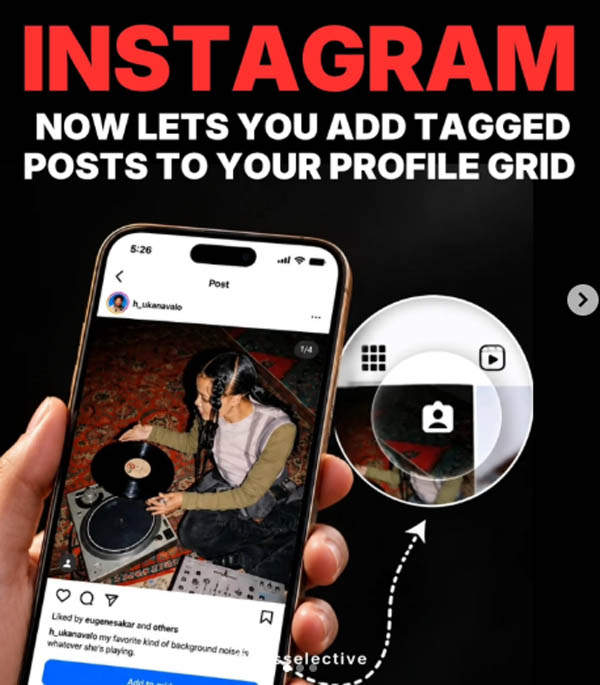
ഇൻസ്റ്റഗ്രാമിൽ മറ്റുള്ളവർ പങ്കുവെച്ച് നമ്മളെ ടാഗ് ചെയ്ത പോസ്റ്റുകൾ സ്വന്തം പ്രൊഫൈലിൽ കൂടുതൽ പ്രാധാന്യത്തോടെ പ്രദർശിപ്പിക്കാനുള്ള അവസരം ഇനി ഉപയോക്താക്കൾക്ക്. ടാഗ് ചെയ്ത പോസ്റ്റുകൾ നേരിട്ട് പ്രൊഫൈൽ ഗ്രിഡിൽ ഉൾപ്പെടുത്താൻ കഴിയുന്ന പുതിയ ഫീച്ചർ ഇൻസ്റ്റഗ്രാം മേധാവി ആദം മൊസ്സേരി ആഗോളതലത്തിൽ അവതരിപ്പിച്ചു.
ടാഗ് ചെയ്യപ്പെടുന്ന പോസ്റ്റുകൾ പ്രൊഫൈലിന്റെ പ്രധാന ഗ്രിഡിലേക്ക് ചേർക്കാൻ മൂന്ന് മാർഗങ്ങളാണ് ഇൻസ്റ്റഗ്രാം ഒരുക്കിയിരിക്കുന്നത്.
1 . ടാഗ് ചെയ്തതായി ലഭിക്കുന്ന ഡയറക്റ്റ് മെസേജ് നോട്ടിഫിക്കേഷനിൽനിന്ന് നേരിട്ട് പോസ്റ്റ് ഗ്രിഡിലേക്ക് ചേർക്കാം.
2. ടാഗ് ചെയ്ത പോസ്റ്റിലെ ത്രീ-ഡോട്ട് മെനുവിലൂടെ.
3. ‘ടാഗ്ഡ്’ ടാബിൽ പോസ്റ്റ് അമർത്തിപ്പിടിച്ചും ഈ ഓപ്ഷൻ ഉപയോഗിക്കാം.
പോസ്റ്റ് പ്രധാന പ്രൊഫൈൽ ഗ്രിഡിലേക്ക് ചേർത്താലും യഥാർത്ഥ പോസ്റ്റിന് മാറ്റമുണ്ടാകില്ല. അതുപോലെ തന്നെ പ്രൊഫൈലിലെ ‘ടാഗ്ഡ്’ സെക്ഷനിലും പോസ്റ്റ് തുടരും. പിന്നീട് പ്രധാന ഗ്രിഡിൽനിന്ന് ഒരു പോസ്റ്റ് നീക്കം ചെയ്താലും അത് യഥാർത്ഥമായി അപ്ലോഡ് ചെയ്ത വ്യക്തിയുടെ പോസ്റ്റിൽനിന്ന് ഡിലീറ്റ് ചെയ്യപ്പെടില്ല.
പുതുതായി ഗ്രിഡിൽ ചേർക്കുന്ന ടാഗ് ചെയ്ത പോസ്റ്റുകൾ ഡിഫോൾട്ടായി റിവേഴ്സ്-ക്രോണോളജിക്കൽ ക്രമത്തിലാണ് ദൃശ്യമാകുക. അതേസമയം, നേരത്തെ തന്നെ സ്വന്തം പ്രൊഫൈൽ ഗ്രിഡിന്റെ ലേഔട്ട് ക്രമീകരിച്ചിട്ടുള്ള ഉപയോക്താക്കളുടെ നിലവിലെ ലേഔട്ടിൽ ഈ ഫീച്ചർ സ്വമേധയാ മാറ്റം വരുത്തില്ല.
ക്രിയേറ്റർ കൊളാബറേഷനുകൾ, സുഹൃത്തുക്കൾ പങ്കുവെക്കുന്ന ഗ്രൂപ്പ് ചിത്രങ്ങൾ, മറ്റ് ടാഗ് ചെയ്ത കണ്ടന്റുകൾ എന്നിവ സ്വന്തം പ്രൊഫൈൽ ഗ്രിഡിൽ പ്രദർശിപ്പിക്കാൻ പുതിയ ഫീച്ചർ സഹായിക്കും. ഇതിലൂടെ ഇത്തരം പോസ്റ്റുകൾ സ്വന്തം ഫോളോവർമാരിലേക്കും കൂടുതൽ എളുപ്പത്തിൽ എത്തിക്കാനാകും. പ്രൊഫൈലിൽ കാണിക്കേണ്ട ടാഗ് ചെയ്ത പോസ്റ്റുകൾ തിരഞ്ഞെടുക്കാനുള്ള കൂടുതൽ നിയന്ത്രണമാണ് പുതിയ ഫീച്ചറിലൂടെ ഇൻസ്റ്റഗ്രാം ഉപയോക്താക്കൾക്ക് ലഭിക്കുന്നത്.
Sources:mediamangalam
Instagram is making it easier to customise how your profile looks with a new feature. Users can now bring posts they are tagged in directly to their main profile grid instead of keeping them only in the dedicated Tagged section. The feature is rolling out globally and can be useful for group photos, collaborations, and other shared moments.
How to add tagged posts to your Instagram grid
There are three ways to add a tagged post to the main profile grid. Users can do it directly from the DM notification received after being tagged, open the three-dot menu on the tagged post, or press and hold the post from the Tagged tab on their profile.
Once added, the post will appear on the main grid based on the original post’s date, with the newest content generally appearing first. However, users who have customised their profile arrangement can place the tagged post according to their preferred grid layout.
The feature also gives users the flexibility to change their minds later. A tagged post can be removed from the main grid at any time without deleting the original post. It will also remain available in the user’s Tagged section after being removed from the primary grid.
More ways to customise Instagram profiles
The new option could be particularly useful for creators who want to showcase collaborations without uploading the same content again. It can also help people bring memorable group photos, holiday pictures, and other posts shared by friends into their main profile.
Instagram has been adding more profile and content management tools in recent months. In June, the platform introduced the ability to reorder posts on the main grid, giving users more control over the arrangement of their profile. It has also added editing tools such as First Draft for Reels and Replace Audio for changing music on existing posts.
The tagged-post feature is now rolling out globally, giving users another way to decide what appears on their profiles.
http://theendtimeradio.com
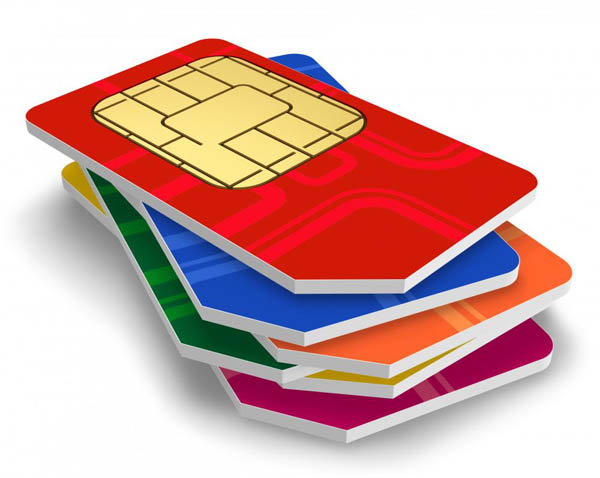
സിം കാര്ഡിന്റെ നാലുമൂലകളില് ഒരു മൂലയില് ഒരു വെട്ട് കണ്ടിട്ടില്ലേ? അതെന്തിനാണെന്ന് അറിയാമോ? ചില കാര്യങ്ങള് അങ്ങനെയാണ് നിത്യമുപയോഗിക്കുന്ന പല സംഗതികളുടെയും കൃത്യമായ ഒരു ചിത്രം നമുക്ക് അറിയില്ല. മുറിഞ്ഞുപോയ പോലെ കാണുന്ന ആ ഡിസൈനിന് പിന്നിൽ ഒരു കാരണമുണ്ട്. അത് എന്തിനാണെന്ന് 99 ശതമാനം പേര്ക്കും അറിയില്ല. അതറിയാൻ ആണെങ്കിൽ നമ്മൾ ശ്രമിച്ചിട്ടുമില്ല.
സിം കാർഡ് ഈ രീതിയിൽ രൂപകൽപന ചെയ്തതിന് പിന്നിലെ കാരണം പറയുകയാണ് സാങ്കേതിക വിദഗ്ധര്.
ഫോണിൽ കൃത്യമായി ഫിറ്റാകാൻ വേണ്ടിയാണ് സിം കാർഡിന്റെ ഒരു കോൺ മുറിച്ചിരിക്കുന്നത്. ഇതിലൂടെ സിം കാർഡ് നേരെയാണോ അതോ തലതിരിച്ചാണോ ഇടുന്നത് എന്ന് ആളുകൾക്ക് എളുപ്പത്തിൽ മനസിലാക്കാൻ സാധിക്കുന്നു. സിം കാർഡ് തലതിരിച്ചാണ് ഇടുന്നതെങ്കിൽ അത് പ്രവർത്തിക്കുകയില്ല. ഇത് മൊബൈലിൽ നെറ്റ്വർക്ക് കിട്ടുന്നത് തടയുകയും സിം കാർഡിന് കേടുപാടുകൾ സംഭവിക്കാനുള്ള സാധ്യത ഉണ്ടാക്കുകയും ചെയ്യും. SIMCards
ആദ്യകാലങ്ങളിൽ ക്രെഡിറ്റ് കാർഡിന്റെ വലിപ്പത്തിലുള്ള വലിയ സിം കാർഡുകളാണ് ഉപയോഗിച്ചിരുന്നത്. പിന്നീട് മൊബൈൽ ഫോണുകൾ ചെറുതാകുകയും മിനി മൈക്രോ, നാനോ സിം കാർഡുകളിലേക്ക് മാറുകയും ചെയ്തപ്പോഴാണ് ഉപയോക്താക്കളുടെ എളുപ്പത്തിനായി ഈ അസിമിട്രിക് ഡിസൈൻ കൊണ്ടുവന്നത്.
‘സബ്സ്ക്രൈബർ ഐഡന്റിറ്റി മോഡ്യൂൾ’ എന്നാണ് സിം കാര്ഡിന്റെ പൂര്ണരൂപം. മൊബൈൽ ഉപകരണത്തെ സെല്ലുലാർ നെറ്റ്വർക്കിലേക്ക് ബന്ധിപ്പിക്കുകയാണ് ഇതിന്റെ ചുമതല. ഇന്റർനാഷണൽ മൊബൈൽ സബ്സ്ക്രൈബർ ഐഡന്റിറ്റി (IMSI) നമ്പറും അതുമായി ബന്ധപ്പെട്ട കീകളും ഇതിൽ സൂക്ഷിച്ചുവെക്കുന്നു. ഇവയുടെ സഹായത്തോടെയാണ് ഒരു മൊബൈൽ നെറ്റ്വർക്ക് ഉപയോക്താവിനെ തിരിച്ചറിയുകയും സ്ഥിരീകരിക്കുകയും ചെയ്യുന്നത്.
ഫോൺ സ്വിച്ച് ഓൺ ചെയ്ത ശേഷം, മൊബൈൽ സിം കാർഡിലെ ഡാറ്റ വായിക്കുകയും അത് മൊബൈൽ നെറ്റ്വർക്കിലേക്ക് കൈമാറുകയും ചെയ്യുന്നു. ഈ പ്രക്രിയയ്ക്ക് ശേഷം, നെറ്റ്വർക്ക് ഉപയോക്താവിന്റെ ഐഡന്റിറ്റി പരിശോധിച്ചു ഉറപ്പുവരുത്തുന്നു. ഉപയോക്താവിന് നെറ്റ്വർക്ക് ഉപയോഗിക്കാൻ അനുമതിയുണ്ടോ എന്ന് ഇതിലൂടെ മനസ്സിലാക്കാൻ സാധിക്കും. ഈ കാരണം കൊണ്ടാണ് ഒരു കമ്പനിയുടെ സിം കാർഡിന് മറ്റൊരു കമ്പനിയുടെ നെറ്റ്വർക്കിലേക്ക് കണക്റ്റ് ചെയ്യാൻ സാധിക്കാത്തത്.
Sources:mediamangalam
Why SIM card has cut on corner: Have you ever noticed that small cut on one corner of your SIM card and wondered why it’s there? It may look like a minor design detail, but it plays a crucial role in how your phone works every day. The cut corner on a SIM card is known as a “key.” Its main purpose is to ensure that the card is inserted into a phone in the correct direction. Since SIM cards are small and can easily be placed the wrong way, this angled edge acts as a guide. It matches a specific slot shape inside the phone, preventing incorrect insertion.
Without this design, smartphone users could accidentally insert the SIM card the wrong way, which might damage the card or the phone’s internal connectors. The cut corner reduces this risk significantly. It ensures proper alignment of the metallic contacts on the SIM card with the pins inside the SIM tray which allows smooth communication between the device and the network.
A universal standard
This feature is not limited to one brand or model. The cut corner design follows global telecom standards, making SIM cards compatible with phones worldwide. Whether it’s a standard SIM, micro SIM, or nano SIM, the same angled corner exists across all formats.
A practical solution
Apart from ease of use, the design also helps manufacturers streamline production. With a fixed orientation system, device makers can design SIM slots more efficiently, reducing errors during manufacturing and improving overall reliability.
While it may seem like a small detail, the cut corner on a SIM card is a smart and practical solution. It prevents user mistakes, protects devices, and ensures seamless connectivity. The next time you insert your SIM card, that tiny angled edge will remind you how thoughtful design can quietly power everyday technology.
http://theendtimeradio.com

വാട്സാപ്പിലൂടെ ലഭിക്കുന്ന പിഡിഎഫ് (PDF) ഫയലുകൾ കാണാനും എഡിറ്റ് ചെയ്യാനും ഇനി മറ്റ് തേഡ് പാർട്ടി ആപ്പുകളെ ആശ്രയിക്കേണ്ടതില്ല. വാട്സാപ്പിൽ നിന്ന് പുറത്തുപോകാതെ തന്നെ പിഡിഎഫുകൾ കൈകാര്യം ചെയ്യാനുള്ള പുതിയ ഫീച്ചറുമായി രംഗത്തെത്തിയിരിക്കുകയാണ് പ്രമുഖ സോഫ്റ്റ്വേർ കമ്പനിയായ അഡോബി (Adobe). നിലവിൽ വാട്സാപ്പ് വെബ്ബിലും വിൻഡോസിലുമാണ് ഈ സേവനം ലഭ്യമാകുന്നത്.
ഈ പുതിയ സംവിധാനം വഴി ഉപഭോക്താക്കൾക്ക് പിഡിഎഫ് ഫയലുകൾ കാണാനും ടെക്സ്റ്റ് ഹൈലൈറ്റ് ചെയ്യാനും അണ്ടർലൈൻ ചെയ്യാനും സ്ട്രൈക്ക് ത്രൂ ചെയ്യാനും മറ്റ് ചെറിയ മാറ്റങ്ങൾ വരുത്താനും വാട്സാപ്പിൽ തന്നെ സാധിക്കും.
മുമ്പ് ഒരു പിഡിഎഫ് ലഭിക്കുമ്പോൾ അത് വായിക്കുന്നതിനായി ആ ഫയൽ നിർബന്ധമായും ഡൗൺലോഡ് ചെയ്യണമായിരുന്നു. എന്നാൽ, ഇനി മുതൽ ഫയലുകൾ വാട്സാപ്പിൽതന്നെ സൂം ചെയ്യാനും സ്ക്രോൾ ചെയ്യാനും കഴിയും. വെറുതെ വായിക്കാൻ മാത്രമല്ല, അക്രോബാറ്റ് ടൂളുകൾ ഉപയോഗിച്ച് ചാറ്റിൽ തന്നെ ഡോക്യുമെന്റുകളിൽ വരയ്ക്കാനും ഫീഡ്ബാക്കുകൾ നൽകാനും ഈ ഫീച്ചർ സഹായിക്കുന്നു.
ഈ പുതിയ സംവിധാനത്തിൽ സുരക്ഷയ്ക്ക് വലിയ പ്രാധാന്യം നൽകിയിട്ടുണ്ട്. ‘അക്രോബാറ്റ് ട്രസ്റ്റിന്റെ’ പിന്തുണയുള്ളതിനാൽ പാസ്വേഡ് ഉപയോഗിച്ച് സുരക്ഷിതമാക്കിയ ഫയലുകൾ ഉദ്ദേശിച്ച വ്യക്തികൾക്ക് മാത്രമേ തുറക്കാൻ സാധിക്കൂ. വാട്സാപ്പിലെ മറ്റ് സന്ദേശങ്ങളെപ്പോലെ തന്നെ ഡോക്യുമെന്റുകളും എൻഡ്-ടു-എൻഡ് എൻക്രിപ്റ്റഡ് ആയിരിക്കുമെന്ന് അഡോബി വ്യക്തമാക്കുന്നു.
ചെറുകിട ബിസിനസ്സുകാർക്ക് ഇൻവോയ്സുകളും കരാറുകളും പരിശോധിക്കാനും, വിദ്യാർഥികൾക്ക് അവരുടെ അസൈൻമെന്റുകൾ എളുപ്പത്തിൽ കൈകാര്യം ചെയ്യാനും സാധാരണക്കാർക്ക് രസീതുകളും യാത്രാ രേഖകളും പരിശോധിക്കാനും ഇത് ഏറെ സഹായകമാകും.
ക്രോം, മൈക്രോസോഫ്റ്റ് 360, കോപൈലറ്റ്, ചാറ്റ്ജിപിടി തുടങ്ങിയ പ്ലാറ്റ്ഫോമുകളിലേക്ക് അഡോബിയുടെ പിഡിഎഫ് സാങ്കേതികവിദ്യ വ്യാപിപ്പിക്കുന്ന പദ്ധതിയുടെ ഭാഗമായാണ് വാട്സാപ്പിലെ ഈ പുതിയ മാറ്റം കൊണ്ടുവന്നിരിക്കുന്നത്. ഓരോ വർഷവും 400 ബില്യണിലധികം ഡോക്യുമെന്റുകൾ അക്രോബാറ്റിലൂടെ പങ്കുവെക്കപ്പെടുന്നുണ്ടെന്നാണ് കണക്കുകൾ വ്യക്തമാക്കുന്നത്. ഈ പുതിയ അപ്ഡേറ്റ് വഴി ലോകമെമ്പാടുമുള്ള ദശലക്ഷക്കണക്കിന് ആളുകൾക്ക് അവരുടെ ഔദ്യോഗിക കാര്യങ്ങൾ കൂടുതൽ വേഗത്തിൽ ചെയ്യാൻ സാധിക്കും.
Sources:mediamangalam
Technology is making life easier, but what if you have to edit a crucial document shared over WhatsApp? Adobe perhaps has the best solution. The software giant, on Wednesday, July 22, introduced an integration with WhatsApp Web and Windows, making it easier to review and collaborate on PDFs without needing to leave the messaging application. With the latest integration, users will now be able to view, highlight text, strike through sections, and make other lightweight markups, all within WhatsApp.
Prior to the integration, when receiving a PDF via WhatsApp, users were compelled to download it to view. But, with the latest announcement, they can view documents without leaving the app. They can now simply scroll and zoom every PDF, just the way it was designed to be read.
According to Adobe, large screens are where most WhatsApp users work. Small businesses and entrepreneurs share invoices and review contracts, and consumers receive receipts through the application. Moreover, they also review offers on their homes, submit forms, and share travel plans with friends and family. For students, perhaps it’s where they connect over assignments.
The update is not limited to viewing; users can also annotate and add feedback right in chat. They can also use Acrobat tools to draw, highlight, underline, and strikethrough text. “Circle a clause you want someone to double-check, cross out an outdated line, or underline the details that matter most. Your markups are ready to share right when you make them, keeping the conversation moving,” Adobe said in its release.
When it comes to security, the new experience also comes with Acrobat Trust, meaning password-protected files will stay secure by only allowing access for the intended recipient. Adobe says that documents shared within a user’s chats will remain end-to-end encrypted just like all other personal WhatsApp messages. This means that documents will not be read by anyone without access to them.
According to the company, each year people share over 400 billion documents in Acrobat. With the integration between Acrobat and WhatsApp, millions more people across the globe will be able to do their business and professional work faster and more effectively.
Adobe said that this integration is part of a growing strategy where it is bringing the industry standard in PDF technology to where billions of people work across Adobe’s own ecosystem and other platforms like Chrome, Microsoft 360, Copilot, ChatGPT, Workday, and many more.
http://theendtimeradio.com


1,000 Christian Leaders Gather in Israel to Honor Oct 7 Victims, Stand With Survivors
More than 1,000 Christian leaders, community leaders and influencers from 117 countries are arriving in Israel to stand with Oct....


Christian Believers, Pastors, America Needs Your Biblical Voice
Father, we pray pastors would be bold this election season. Inspire these shepherds to engage politically, to encourage their congregations...


ഹൂസ്റ്റണിൽ എക്യുമെനിക്കൽ ബൈബിൾ കൺവെൻഷൻ ഒക്ടോബർ 16, 17 തീയതികളിൽ
ഹൂസ്റ്റൺ: ഇന്ത്യൻ ക്രിസ്ത്യൻ എക്യുമെനിക്കൽ കമ്മ്യൂണിറ്റി ഓഫ് ഹൂസ്റ്റണിന്റെ (ICECH) ആഭിമുഖ്യത്തിൽ 2026 ബൈബിൾ കൺവെൻഷൻ ഒക്ടോബർ 16, 17 തീയതികളിൽ (വെള്ളി, ശനി) വൈകുന്നേരം 6.30ന്...


നടൻ നാനാ പടേക്കർ അന്തരിച്ചു, ഹൃദയാഘാതത്തെ തുടർന്ന് അന്ത്യം
ചലച്ചിത്രകാരൻ നാനാ പടേക്കർ അന്തരിച്ചു. 75 വയസായിരുന്നു. ഗോവയിലെ വീട്ടിൽ വച്ച് ഹൃദയാഘാതത്തെ തുടർന്നാണ് അന്ത്യം. 3 തവണ ദേശീയ പുരസ്കാരം നേടിയ ചലച്ചിത്രകാരനാണ് നാനാ പടേക്കര്....


നൈജീരിയയിൽ ഈ വർഷം 4216 ക്രൈസ്തവര് കൊല്ലപ്പെട്ടതായി യുഎസ് സന്നദ്ധ സംഘടനയുടെ റിപ്പോര്ട്ട്
അബൂജ: നൈജീരിയയിൽ ക്രൈസ്തവ ജനവിഭാഗങ്ങൾക്ക് നേരെയുള്ള അക്രമങ്ങളും പീഡനങ്ങളും അതിരൂക്ഷമായി തുടരുന്നതായി സ്ഥിരീകരിച്ച് റിപ്പോർട്ട്. ഈ വർഷം ജനുവരി 1 മുതൽ സെപ്റ്റംബർ 8 വരെയുള്ള കാലയളവിൽ...


Jim Bakker, Televangelist and PTL Founder, Dies at 86, Wife Lori Bakker Announces
Televangelist Jim Bakker, a longtime Christian broadcaster and founder of the PTL television ministry, has died at 86, according to...
-

 Movie12 months ago
Forrest Frank Says He Will No Longer Participate in Awards Shows, Shares ‘Conviction’ Behind Why
-

 Movie12 months ago
Brandon Lake sweeps 2025 Dove Awards, brings down the house alongside Jelly Roll with ‘Hard Fought Hallelujah’
-

 us news4 months ago
‘America Is Hungry’: Hundreds Born Again and Baptized as Jesus Tent Revival Sweeps the Nation
-

 us news4 months ago
Mike Winger deletes YouVersion app over ‘The Passion Translation’ controversy, urges others to ‘use caution’
-

 Movie11 months ago
CBN’s Superbook Launches New Free Bible App for Kids: ‘The Power of God Is Released’
-

 Movie8 months ago
Hollywood Actor Jen Lilley Launching New Ministry After ‘Vision’ From Holy Spirit
-

 Sports12 months ago
Jaguars Star Travis Hunter, Olympic Gold Medalist Noah Lyles Get Baptized: ‘Leaving My Old Self’
-

 us news12 months ago
നൈജീരിയൻ ക്രൈസ്തവരെ സംരക്ഷിക്കാൻ നടപടി ആവശ്യപ്പെട്ട് യുഎസ് കോണ്ഗ്രസ് പ്രതിനിധികള്