
Tech
വിൻഡോസ് 10 ഒക്ടോബർ 14-ന് വിട പറയുന്നു; 140 കോടി കമ്പ്യൂട്ടറുകൾക്ക് ഇനി എന്തു സംഭവിക്കും?


ലോകമെമ്പാടുമുള്ള കമ്പ്യൂട്ടർ ഉപയോക്താക്കളെ ആശങ്കയിലാഴ്ത്തിക്കൊണ്ട് മൈക്രോസോഫ്റ്റിൻ്റെ ഏറ്റവും ജനപ്രിയ ഓപ്പറേറ്റിംഗ് സിസ്റ്റങ്ങളിൽ ഒന്നായ വിൻഡോസ് 10-ൻ്റെ പിന്തുണ 2025 ഒക്ടോബർ 14-ന് അവസാനിക്കാൻ പോകുകയാണ്. ഒരു പതിറ്റാണ്ടോളം നീണ്ട സേവനത്തിന് ശേഷം ഈ ഓപ്പറേറ്റിംഗ് സിസ്റ്റം വിടവാങ്ങുമ്പോൾ, ലോകമെമ്പാടുമുള്ള ഏകദേശം 1.4 ബില്യൺ (140 കോടി) വ്യക്തിഗത കമ്പ്യൂട്ടറുകളുടെ (പി.സി.) ഭാവി എന്താകുമെന്ന ചോദ്യമാണ് ടെക് ലോകത്ത് മുഴങ്ങുന്നത്.
പിന്തുണ അവസാനിച്ചാൽ ഈ കമ്പ്യൂട്ടറുകൾ പെട്ടെന്ന് ഉപയോഗശൂന്യമാകുമോ, അതല്ലെങ്കിൽ കമ്പ്യൂട്ടർ ലോകം ഒരു വലിയ ‘ഇ-മാലിന്യ പ്രതിസന്ധി’യിലേക്ക് (E-Waste Crisis) പോകുമോ എന്ന ആശങ്കകൾക്ക് യാതൊരു കുറവുമില്ല. ഒരു ഉപകരണം സാങ്കേതികമായി പ്രവർത്തനക്ഷമമായിരിക്കുമ്പോൾ തന്നെ സുരക്ഷാ ഭീഷണികളാൽ ഉപയോഗിക്കാൻ കൊള്ളില്ലാത്ത അവസ്ഥയിലേക്ക് പോകുമോ എന്നുള്ളതാണ് ഇവിടെ പ്രധാനമായും ചർച്ച ചെയ്യപ്പെടുന്നത്.
വിൻഡോസ് 10-ൻ്റെ പിന്തുണ അവസാനിക്കുമ്പോൾ സംഭവിക്കുന്ന ഏറ്റവും നിർണ്ണായകമായ കാര്യം, മൈക്രോസോഫ്റ്റ് ഇനി സുരക്ഷാ അപ്ഡേറ്റുകളും (Security Updates), സാങ്കേതിക സഹായവും (Technical Assistance), പുതിയ ഫീച്ചർ അപ്ഡേറ്റുകളും നൽകില്ല എന്നതാണ്. നിങ്ങളുടെ കമ്പ്യൂട്ടർ തുടർന്നും പ്രവർത്തിക്കുമെങ്കിലും, സൈബർ ലോകത്തെ പുതിയ ഭീഷണികൾ, അതായത് വൈറസുകൾ, ക്ഷുദ്രവെയറുകൾ (Malware), ഹാക്കിംഗ് ശ്രമങ്ങൾ എന്നിവയിൽ നിന്ന് സംരക്ഷിക്കാനുള്ള പ്രതിരോധശേഷി ഇതിന് ഇല്ലാതാകും.
പിന്തുണയില്ലാത്ത ഒരു ഓപ്പറേറ്റിംഗ് സിസ്റ്റം തുറന്നുവെച്ച വാതിൽ പോലെയാണ്; ഒരു സൈബർ ആക്രമണം എളുപ്പത്തിൽ നടക്കാൻ സാധ്യതയുണ്ട്. നിലവിലുള്ള വിൻഡോസ് 10 ഉപയോക്താക്കൾക്ക്, പ്രത്യേകിച്ച് സുരക്ഷാ ഭീഷണികൾ വർധിച്ചുവരുന്ന ഈ കാലഘട്ടത്തിൽ, ഈ തീരുമാനം ഒരു വലിയ വെല്ലുവിളിയാണ് ഉയർത്തുന്നത്. വ്യക്തിഗത വിവരങ്ങൾ ചോർത്തപ്പെടാനും സാമ്പത്തിക തട്ടിപ്പുകൾക്ക് ഇരയാകാനുമുള്ള സാധ്യതകൾ ഇതോടെ കുത്തനെ വർധിക്കും.
ഈ പ്രതിസന്ധി മറികടക്കാൻ ഉപയോക്താക്കൾക്ക് മുന്നിൽ പ്രധാനമായും രണ്ട് വഴികളാണ് മൈക്രോസോഫ്റ്റ് വെക്കുന്നത്. ഒന്നാമതായി, തങ്ങളുടെ കമ്പ്യൂട്ടറുകൾ വിൻഡോസ് 11-ലേക്ക് സൗജന്യമായി നവീകരിക്കുക (Upgrade ചെയ്യുക). എന്നാൽ ഇതിന് ഒരു കടമ്പയുണ്ട്. വിൻഡോസ് 11 ഇൻസ്റ്റാൾ ചെയ്യണമെങ്കിൽ നിങ്ങളുടെ കമ്പ്യൂട്ടറിൽ ടി.പി.എം. 2.0 (TPM 2.0), നിർദ്ദിഷ്ട പ്രോസസ്സറുകൾ തുടങ്ങിയ ചില ഹാർഡ്വെയർ ആവശ്യകതകൾ നിർബന്ധമാണ്. ഏകദേശം 40 കോടിയോളം ഉപകരണങ്ങൾ ഈ ഹാർഡ്വെയർ മാനദണ്ഡങ്ങൾ പാലിക്കാൻ സാധ്യതയില്ലാത്തതിനാൽ അവയ്ക്ക് വിൻഡോസ് 11-ലേക്ക് മാറാൻ സാധിക്കുകയില്ല.
രണ്ടാമത്തെ വഴി, വിൻഡോസ് 11-ലേക്ക് മാറാൻ സാധിക്കാത്തവർക്ക് വേണ്ടി മൈക്രോസോഫ്റ്റ് അവതരിപ്പിച്ച എക്സ്റ്റെൻഡഡ് സെക്യൂരിറ്റി അപ്ഡേറ്റ്സ് (Extended Security Updates – ESU) എന്ന പണമടച്ചുള്ള പദ്ധതിയാണ്. ഈ പദ്ധതി പ്രകാരം, വ്യക്തിഗത ഉപയോക്താക്കൾക്ക് ഒരു നിശ്ചിത തുക (ബിസിനസ് ഉപയോക്താക്കൾക്ക് ഇത് വളരെ കൂടുതലാണ്) നൽകി ഒരു വർഷത്തേക്ക് അധിക സുരക്ഷാ അപ്ഡേറ്റുകൾ നേടാൻ സാധിക്കും. ക്ലൗഡ് പി.സി.കൾ ഉപയോഗിക്കുന്നവർക്ക് ഇത് സൗജന്യമായി ലഭിക്കുമെന്ന ആശ്വാസകരമായ ഒരു വശവും ഉണ്ട്. എന്നാൽ ഈ ഇ.എസ്.യു. പദ്ധതി ഒരു താത്കാലിക പരിഹാരം മാത്രമാണ്.
വിൻഡോസ് 11-ലേക്ക് മാറാൻ കഴിയാത്തതും, എക്സ്റ്റെൻഡഡ് സെക്യൂരിറ്റി അപ്ഡേറ്റുകൾക്ക് പണം കൊടുക്കാൻ താൽപര്യമില്ലാത്തതുമായ കോടിക്കണക്കിന് ഉപയോക്താക്കളാണ് ഈ പ്രശ്നത്തിൻ്റെ യഥാർത്ഥ ഇരകൾ. സുരക്ഷാ ഭീഷണികളെ ഭയന്ന് ഈ ഉപയോക്താക്കൾക്ക് തങ്ങളുടെ പഴയ പി.സി.കൾ ഉപേക്ഷിക്കേണ്ടി വന്നാൽ, അത് ലോകമെമ്പാടുമുള്ള ഇലക്ട്രോണിക് മാലിന്യത്തിൻ്റെ (E-Waste) അളവിൽ വലിയ വർധനവിന് കാരണമായേക്കാം.
സാമ്പത്തികമായി പിന്നാക്കം നിൽക്കുന്ന രാജ്യങ്ങളിലെയും, ചെറുകിട ബിസിനസ്സുകളിലെയും ഉപയോക്താക്കൾക്ക് ഇത് പുതിയ കമ്പ്യൂട്ടറുകൾ വാങ്ങേണ്ടി വരുന്നതിലൂടെ വലിയ സാമ്പത്തിക ഭാരം ഉണ്ടാക്കും. വിൻഡോസ് 10-ൻ്റെ അന്ത്യം, പുതിയ സാങ്കേതികവിദ്യയുടെ വാതിൽ തുറക്കുമ്പോൾ തന്നെ, കോടിക്കണക്കിന് ഉപകരണങ്ങളെ കാലഹരണപ്പെട്ടവയുടെ പട്ടികയിലേക്ക് തള്ളിവിടാനുള്ള സാധ്യതകളും സൃഷ്ടിക്കുന്നുണ്ട്. ഈ ഉപകരണങ്ങളെ സുരക്ഷിതമായി ഉപയോഗിക്കാൻ ലിനക്സ് പോലുള്ള മറ്റു ഓപ്പറേറ്റിംഗ് സിസ്റ്റങ്ങളിലേക്ക് മാറുന്നതിനെക്കുറിച്ച് പല ടെക് വിദഗ്ദ്ധരും അഭിപ്രായപ്പെടുന്നുണ്ട്.
Sources:azchavattomonline.com
The clock is ticking down on one of the most widely used operating systems in the world. Windows 10, the OS that powers over 1.4 billion devices, will officially reach its end-of-support date on october 14, 2025. But does this mean that these 1.4 billion PCs will become useless? Let’s break down what this means for users and the future of these devices.
1. What Does End of Support Really Mean?
When microsoft ends support for Windows 10, it means that the operating system will no longer receive:
· Security updates: No more patches for vulnerabilities, leaving devices more susceptible to malware, ransomware, and hacking.
· Feature upgrades: New features and updates that improve performance or add functionality will no longer be rolled out.
· Technical support: microsoft will no longer provide help if users face issues or need assistance troubleshooting problems.
Why is this important?
The end of support does not mean that Windows 10 will stop working. However, without regular updates, your PC becomes more vulnerable to cyber threats over time, and you’ll miss out on the latest features and improvements.
2. Will Windows 10 PCs Become Junk?
No, Windows 10 devices won’t become junk overnight. They will still work, but without updates, they will:
· Become more vulnerable to security breaches, which could put your personal data and work at risk.
· Lack new features, making your system feel outdated compared to newer devices running updated operating systems.
· Be incompatible with some modern software and hardware that require the latest security patches and performance upgrades.
3. Upgrade to Windows 11: A Safe Bet for the Future
While Windows 10 will no longer receive support, microsoft is actively encouraging users to upgrade to Windows 11, which will receive full support and regular updates for several years. If your PC meets the hardware requirements for Windows 11, upgrading can extend the life of your device and ensure continued access to security patches and new features.
· What if my PC doesn’t meet the requirements for Windows 11?
If your device is too old or doesn’t meet the upgrade criteria for Windows 11, you’ll need to continue using Windows 10 after support ends or consider upgrading your hardware.
4. Options for Users After october 14, 2025
If you decide not to upgrade to Windows 11, here are some options to consider:
· Switch to a Linux-based operating system: For those who want to continue using older devices, Linux distributions like Ubuntu or Mint are free alternatives that can breathe new life into your PC.
· Upgrade your hardware: If your device can’t support Windows 11, it might be time to invest in a new computer. Modern PCs with Windows 11 are more secure, efficient, and future-proof.
· Continue using Windows 10 without support: While not recommended for security reasons, some users may choose to continue using Windows 10 at their own risk.
5. Will Other microsoft software Continue to Work?
Even though Windows 10 support will end, other microsoft software, like Microsoft Office, Outlook, and OneDrive, will continue to function as usual. However, these services may eventually start phasing out compatibility with older operating systems, pushing users toward newer platforms.
6. Preparing for the Change: What Should You Do Now?
With less than a year remaining before Windows 10 support ends, it’s important to start planning your next steps:
· Check if your device is eligible for Windows 11: Use Microsoft’s PC health Check tool to find out if your PC can run Windows 11.
· Backup your data: Before upgrading or switching systems, ensure that you back up important files to avoid losing them during the transition.
· Consider your options: Decide whether to upgrade to Windows 11, switch to a different OS like Linux, or buy a new PC based on your needs and budget.
Conclusion: Windows 10 is Not Doomed, But It’s Time to Plan
The end of support for Windows 10 is a crucial turning point, but it doesn’t mean that your PC will become obsolete. You have time to plan your next move—whether it’s upgrading to Windows 11, switching to another OS, or buying a new PC. By staying ahead of the deadline, you can keep your system secure and functional for years to come.
http://theendtimeradio.com








വാട്സാപ്പിലൂടെ ലഭിക്കുന്ന പിഡിഎഫ് (PDF) ഫയലുകൾ കാണാനും എഡിറ്റ് ചെയ്യാനും ഇനി മറ്റ് തേഡ് പാർട്ടി ആപ്പുകളെ ആശ്രയിക്കേണ്ടതില്ല. വാട്സാപ്പിൽ നിന്ന് പുറത്തുപോകാതെ തന്നെ പിഡിഎഫുകൾ കൈകാര്യം ചെയ്യാനുള്ള പുതിയ ഫീച്ചറുമായി രംഗത്തെത്തിയിരിക്കുകയാണ് പ്രമുഖ സോഫ്റ്റ്വേർ കമ്പനിയായ അഡോബി (Adobe). നിലവിൽ വാട്സാപ്പ് വെബ്ബിലും വിൻഡോസിലുമാണ് ഈ സേവനം ലഭ്യമാകുന്നത്.
ഈ പുതിയ സംവിധാനം വഴി ഉപഭോക്താക്കൾക്ക് പിഡിഎഫ് ഫയലുകൾ കാണാനും ടെക്സ്റ്റ് ഹൈലൈറ്റ് ചെയ്യാനും അണ്ടർലൈൻ ചെയ്യാനും സ്ട്രൈക്ക് ത്രൂ ചെയ്യാനും മറ്റ് ചെറിയ മാറ്റങ്ങൾ വരുത്താനും വാട്സാപ്പിൽ തന്നെ സാധിക്കും.
മുമ്പ് ഒരു പിഡിഎഫ് ലഭിക്കുമ്പോൾ അത് വായിക്കുന്നതിനായി ആ ഫയൽ നിർബന്ധമായും ഡൗൺലോഡ് ചെയ്യണമായിരുന്നു. എന്നാൽ, ഇനി മുതൽ ഫയലുകൾ വാട്സാപ്പിൽതന്നെ സൂം ചെയ്യാനും സ്ക്രോൾ ചെയ്യാനും കഴിയും. വെറുതെ വായിക്കാൻ മാത്രമല്ല, അക്രോബാറ്റ് ടൂളുകൾ ഉപയോഗിച്ച് ചാറ്റിൽ തന്നെ ഡോക്യുമെന്റുകളിൽ വരയ്ക്കാനും ഫീഡ്ബാക്കുകൾ നൽകാനും ഈ ഫീച്ചർ സഹായിക്കുന്നു.
ഈ പുതിയ സംവിധാനത്തിൽ സുരക്ഷയ്ക്ക് വലിയ പ്രാധാന്യം നൽകിയിട്ടുണ്ട്. ‘അക്രോബാറ്റ് ട്രസ്റ്റിന്റെ’ പിന്തുണയുള്ളതിനാൽ പാസ്വേഡ് ഉപയോഗിച്ച് സുരക്ഷിതമാക്കിയ ഫയലുകൾ ഉദ്ദേശിച്ച വ്യക്തികൾക്ക് മാത്രമേ തുറക്കാൻ സാധിക്കൂ. വാട്സാപ്പിലെ മറ്റ് സന്ദേശങ്ങളെപ്പോലെ തന്നെ ഡോക്യുമെന്റുകളും എൻഡ്-ടു-എൻഡ് എൻക്രിപ്റ്റഡ് ആയിരിക്കുമെന്ന് അഡോബി വ്യക്തമാക്കുന്നു.
ചെറുകിട ബിസിനസ്സുകാർക്ക് ഇൻവോയ്സുകളും കരാറുകളും പരിശോധിക്കാനും, വിദ്യാർഥികൾക്ക് അവരുടെ അസൈൻമെന്റുകൾ എളുപ്പത്തിൽ കൈകാര്യം ചെയ്യാനും സാധാരണക്കാർക്ക് രസീതുകളും യാത്രാ രേഖകളും പരിശോധിക്കാനും ഇത് ഏറെ സഹായകമാകും.
ക്രോം, മൈക്രോസോഫ്റ്റ് 360, കോപൈലറ്റ്, ചാറ്റ്ജിപിടി തുടങ്ങിയ പ്ലാറ്റ്ഫോമുകളിലേക്ക് അഡോബിയുടെ പിഡിഎഫ് സാങ്കേതികവിദ്യ വ്യാപിപ്പിക്കുന്ന പദ്ധതിയുടെ ഭാഗമായാണ് വാട്സാപ്പിലെ ഈ പുതിയ മാറ്റം കൊണ്ടുവന്നിരിക്കുന്നത്. ഓരോ വർഷവും 400 ബില്യണിലധികം ഡോക്യുമെന്റുകൾ അക്രോബാറ്റിലൂടെ പങ്കുവെക്കപ്പെടുന്നുണ്ടെന്നാണ് കണക്കുകൾ വ്യക്തമാക്കുന്നത്. ഈ പുതിയ അപ്ഡേറ്റ് വഴി ലോകമെമ്പാടുമുള്ള ദശലക്ഷക്കണക്കിന് ആളുകൾക്ക് അവരുടെ ഔദ്യോഗിക കാര്യങ്ങൾ കൂടുതൽ വേഗത്തിൽ ചെയ്യാൻ സാധിക്കും.
Sources:mediamangalam
Technology is making life easier, but what if you have to edit a crucial document shared over WhatsApp? Adobe perhaps has the best solution. The software giant, on Wednesday, July 22, introduced an integration with WhatsApp Web and Windows, making it easier to review and collaborate on PDFs without needing to leave the messaging application. With the latest integration, users will now be able to view, highlight text, strike through sections, and make other lightweight markups, all within WhatsApp.
Prior to the integration, when receiving a PDF via WhatsApp, users were compelled to download it to view. But, with the latest announcement, they can view documents without leaving the app. They can now simply scroll and zoom every PDF, just the way it was designed to be read.
According to Adobe, large screens are where most WhatsApp users work. Small businesses and entrepreneurs share invoices and review contracts, and consumers receive receipts through the application. Moreover, they also review offers on their homes, submit forms, and share travel plans with friends and family. For students, perhaps it’s where they connect over assignments.
The update is not limited to viewing; users can also annotate and add feedback right in chat. They can also use Acrobat tools to draw, highlight, underline, and strikethrough text. “Circle a clause you want someone to double-check, cross out an outdated line, or underline the details that matter most. Your markups are ready to share right when you make them, keeping the conversation moving,” Adobe said in its release.
When it comes to security, the new experience also comes with Acrobat Trust, meaning password-protected files will stay secure by only allowing access for the intended recipient. Adobe says that documents shared within a user’s chats will remain end-to-end encrypted just like all other personal WhatsApp messages. This means that documents will not be read by anyone without access to them.
According to the company, each year people share over 400 billion documents in Acrobat. With the integration between Acrobat and WhatsApp, millions more people across the globe will be able to do their business and professional work faster and more effectively.
Adobe said that this integration is part of a growing strategy where it is bringing the industry standard in PDF technology to where billions of people work across Adobe’s own ecosystem and other platforms like Chrome, Microsoft 360, Copilot, ChatGPT, Workday, and many more.
http://theendtimeradio.com
Tech
പ്രിയപ്പെട്ടവരുടെ പിറന്നാൾ മറന്നു പോയോ? വാട്സ്ആപ്പിന്റെ പുതിയ ഫീച്ചർ ഇനി ഓർമ്മിപ്പിക്കും; ഒരു ടാപ്പിൽ ആശംസകളും അയയ്ക്കാം

പ്രിയപ്പെട്ടവരുടെ പിറന്നാൾ മറന്നുപോയി പിന്നീട് ആശംസകൾ അറിയിക്കേണ്ടി വന്ന അനുഭവം പലർക്കും ഉണ്ടായിട്ടുണ്ടാകും. അത്തരക്കാർ ഇനി വിഷമിക്കേണ്ട. നിങ്ങളുടെ കോൺടാക്റ്റിലുള്ളവരുടെ ജന്മദിനം സ്വയം ഓർമ്മിപ്പിച്ച്, ഒറ്റ ടാപ്പിൽ തന്നെ ആശംസകൾ അയയ്ക്കാൻ സഹായിക്കുന്ന പുതിയ ഫീച്ചറുമായാണ് വാട്സ്ആപ്പ് എത്താനൊരുങ്ങുന്നത്. ഉപയോക്താക്കൾക്കായി ‘ബർത്ത്ഡേ നോട്ടിഫിക്കേഷൻ’ ഫീച്ചറാണ് കമ്പനി പരീക്ഷണഘട്ടത്തിൽ വികസിപ്പിക്കുന്നത്. Birthdays& Name Days
വാട്സ്ആപ്പ് ഫീച്ചർ ട്രാക്കറായ വാബീറ്റാഇൻഫോ പുറത്തുവിട്ട വിവരങ്ങൾ പ്രകാരം, ആൻഡ്രോയിഡിനായുള്ള ബീറ്റ പതിപ്പിലാണ് ഈ സംവിധാനത്തിന്റെ സൂചനകൾ കണ്ടെത്തിയത്. ഭാവിയിലെ അപ്ഡേറ്റിലൂടെ ഇത് എല്ലാ ഉപയോക്താക്കൾക്കും ലഭ്യമാകുമെന്നാണ് പ്രതീക്ഷ.
‘ബർത്ത്ഡേയ്സ്’ എന്ന പ്രത്യേക വിഭാഗം
പുതിയ ഫീച്ചറിന്റെ ഭാഗമായി ‘ബർത്ത്ഡേയ്സ്’ എന്ന പേരിൽ പ്രത്യേക വിഭാഗം വാട്സ്ആപ്പിൽ അവതരിപ്പിക്കാനാണ് പദ്ധതി. ഉപയോക്താവിന്റെ കോൺടാക്ട് ലിസ്റ്റിലുള്ളവരുടെ വരാനിരിക്കുന്ന ജന്മദിനങ്ങൾ ഈ വിഭാഗത്തിൽ ഒരുമിച്ച് പ്രദർശിപ്പിക്കും. ഇതിലൂടെ പിറന്നാൾ ഓർക്കാൻ കലണ്ടറുകളെയോ മറ്റ് റിമൈൻഡർ ആപ്പുകളെയോ ആശ്രയിക്കേണ്ട സാഹചര്യം കുറയും.
നോട്ടിഫിക്കേഷൻ ലഭിക്കും, ആശംസകൾ അയയ്ക്കാം
ഒരു കോൺടാക്ടിന്റെ ജന്മദിനം എത്തുമ്പോൾ വാട്സ്ആപ്പ് ഇൻ-ആപ്പ് നോട്ടിഫിക്കേഷൻ അയച്ച് ഉപയോക്താവിനെ ഓർമ്മിപ്പിക്കും. നോട്ടിഫിക്കേഷനിൽ ടാപ്പ് ചെയ്താൽ നേരിട്ട് ആ വ്യക്തിയുടെ ചാറ്റിലേക്ക് പ്രവേശിക്കാനും ഉടൻ തന്നെ ജന്മദിനാശംസകൾ അയയ്ക്കാനും സാധിക്കും. ഉപയോക്തൃ അനുഭവം കൂടുതൽ ലളിതവും സൗകര്യപ്രദവുമാക്കുക എന്നതാണ് ഈ ഫീച്ചറിലൂടെ കമ്പനിയുടെ ലക്ഷ്യം.
എല്ലാ കോൺടാക്ടുകൾക്കും ലഭിക്കില്ല
എന്നാൽ ഈ സംവിധാനം എല്ലാ കോൺടാക്ടുകൾക്കും ബാധകമാകില്ല. ബന്ധപ്പെട്ട വ്യക്തി തന്റെ ജനനത്തീയതി വാട്സ്ആപ്പിൽ നൽകിയിട്ടുണ്ടെങ്കിൽ മാത്രമേ അവരുടെ ജന്മദിനം ‘ബർത്ത്ഡേയ്സ്’ വിഭാഗത്തിൽ കാണിക്കുകയോ നോട്ടിഫിക്കേഷൻ ലഭിക്കുകയോ ചെയ്യൂ.
ജനനത്തീയതി എവിടെ നിന്നാണ്?
നിലവിൽ അമേരിക്കയിലെ ചില സംസ്ഥാനങ്ങളിൽ പ്രായപരിശോധനാ നിയമങ്ങളുടെ ഭാഗമായി ഉപയോക്താക്കളിൽ നിന്ന് വാട്സ്ആപ്പ് ജനനത്തീയതി ശേഖരിക്കുന്നുണ്ട്. ഈ വിവരങ്ങളാണ് പുതിയ ഫീച്ചറിന് അടിസ്ഥാനമാകാൻ സാധ്യതയുള്ളതെന്നാണ് റിപ്പോർട്ട്. മറ്റ് രാജ്യങ്ങളിൽ ഇത്തരമൊരു നിർബന്ധിത വിവരശേഖരണം നിലവിലില്ലാത്തതിനാൽ, ഉപയോക്താക്കൾ സ്വമേധയാ ജനനത്തീയതി ചേർത്താൽ മാത്രമേ ഈ സൗകര്യം കൂടുതൽ വ്യാപകമായി പ്രയോജനപ്പെടുത്താൻ കഴിയൂ. Text& Instant Messaging
സ്വകാര്യതയെക്കുറിച്ചും ചർച്ച
ഫീച്ചറുമായി ബന്ധപ്പെട്ട സ്വകാര്യതാ ക്രമീകരണങ്ങളിൽ ഇപ്പോഴും വ്യക്തതയില്ല. ജനനത്തീയതി ആരെല്ലാം കാണണം, ആരിൽ നിന്ന് മറച്ചുവയ്ക്കണം തുടങ്ങിയ നിയന്ത്രണങ്ങൾ നിലവിലെ പരീക്ഷണ പതിപ്പിൽ ഉൾപ്പെടുത്തിയിട്ടില്ലെന്നാണ് റിപ്പോർട്ടുകൾ. അന്തിമ പതിപ്പിൽ ഇത്തരം സ്വകാര്യതാ ഓപ്ഷനുകൾ ഉൾപ്പെടുത്തുമോയെന്ന കാര്യത്തിൽ കമ്പനി ഇതുവരെ ഔദ്യോഗിക വിശദീകരണം നൽകിയിട്ടില്ല.
ഇപ്പോൾ പരീക്ഷണ ഘട്ടത്തിൽ മാത്രം
ആൻഡ്രോയിഡിനായുള്ള വാട്സ് ആപ്പ് ബീറ്റാ 2.26.27.3 പതിപ്പിലാണ് ഈ ഫീച്ചറിന്റെ സൂചനകൾ കണ്ടെത്തിയത്. എന്നാൽ ഇത് ഇപ്പോഴും വികസനഘട്ടത്തിലായതിനാൽ ബീറ്റ ഉപയോക്താക്കൾക്ക് പോലും ലഭ്യമല്ല. ഔദ്യോഗിക പ്രഖ്യാപനമോ റിലീസ് തീയതിയോ കമ്പനി പുറത്തുവിട്ടിട്ടില്ല.
പിറന്നാൾ മറന്നുപോകുന്നവർക്കുള്ള ഒരു ചെറിയ റിമൈൻഡർ മാത്രമല്ല, പ്രിയപ്പെട്ടവരുമായി ബന്ധം കൂടുതൽ സജീവമാക്കുന്ന സൗകര്യമായും ഈ ഫീച്ചർ മാറുമെന്നാണ് വിലയിരുത്തൽ. എന്നാൽ സ്വകാര്യതാ ക്രമീകരണങ്ങൾ ഉൾപ്പെടെയുള്ള അന്തിമ രൂപം എന്തായിരിക്കുമെന്നത് വാട്സ്ആപ്പിന്റെ ഔദ്യോഗിക പ്രഖ്യാപനത്തോടെ മാത്രമേ വ്യക്തമാകൂ.
Sources:mediamangalam
Feature spotted in WhatsApp for Android beta; in-app reminders and a dedicated birthdays section are also in development
WhatsApp is working on a new feature that could help users keep track of birthdays without relying on separate calendar apps. The messaging platform is reportedly developing birthday reminders that will notify users when one of their saved contacts is celebrating a birthday. The feature has been spotted in the latest WhatsApp for Android beta but is still under development and is not yet available for testing.
WhatsApp may soon remind you of upcoming birthdays
According to feature tracker WABetaInfo, the functionality was discovered in WhatsApp for Android beta version 2.26.27.3. Once it is ready, WhatsApp is expected to send in-app notifications on a contact’s birthday, allowing users to open the chat directly and send birthday wishes.
The report also suggests that WhatsApp is building a dedicated Birthdays section within the app. This page could display upcoming birthdays of saved contacts, making it easier for users to view important dates in one place.
Feature could depend on users sharing their date of birth
The birthday reminder feature is expected to work only when a contact’s date of birth is available to WhatsApp. In certain US states, the platform already collects users’ dates of birth as part of regulatory age verification requirements. According to the report, WhatsApp could use this existing information to power birthday notifications in those regions.
However, the feature may have limited functionality in countries where WhatsApp does not collect birth dates automatically. Unless users voluntarily provide their birthday details in the future, reminders may not be available for all contacts.
Privacy controls and rollout timeline remain unclear
The report also notes that WhatsApp has not yet added privacy controls for the upcoming feature. Users currently do not have an option to decide who can view their birthday information or hide it from contacts. Such settings are likely to be introduced before the feature is released publicly.
Meta has not officially announced the birthday reminder feature or shared a rollout timeline. As with other features spotted in beta versions, there is no confirmation on when it will be available on available on stable builds of WhatsApp for Android or whether it will also arrive on iOS.
http://theendtimeradio.com
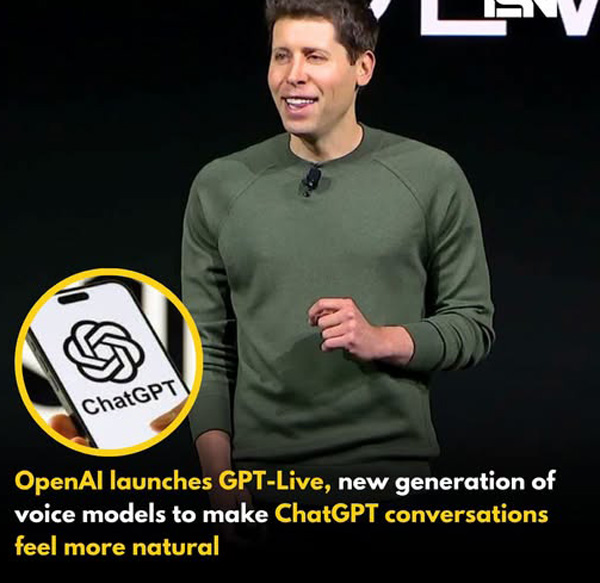
ആർട്ടിഫിഷ്യൽ ഇന്റലിജൻസ് രംഗത്ത് പുതിയ മുന്നേറ്റവുമായി ഓപ്പൺഎഐ. ചാറ്റ്ജിപിടിയുമായുള്ള സംഭാഷണങ്ങൾ കൂടുതൽ സ്വാഭാവികമാക്കാൻ രൂപകൽപ്പന ചെയ്ത പുതിയ വോയിസ് എഐ മോഡലായ GPT-Live കമ്പനി പുറത്തിറക്കി. ഉപയോക്താവ് സംസാരിച്ച് തീരുന്നതുവരെ കാത്തിരുന്ന ശേഷം മാത്രം മറുപടി നൽകുന്ന പഴയ രീതിക്ക് പകരം, മനുഷ്യർ തമ്മിലുള്ള സംഭാഷണത്തിന് സമാനമായി ഒരേസമയം കേൾക്കാനും സംസാരിക്കാനും കഴിയുന്ന സംവിധാനമാണ് പുതിയ മോഡലിന്റെ പ്രധാന പ്രത്യേകത.
സംഭാഷണത്തിനിടെ ഉപയോക്താവിന്റെ ഇടപെടലുകൾ മനസിലാക്കി പ്രതികരിക്കാനും, ചിന്തിക്കാൻ സമയം എടുക്കുമ്പോൾ കാത്തിരിക്കാനും, ആവശ്യമെങ്കിൽ സ്വാഭാവികമായി സംഭാഷണത്തിൽ ഇടപെടാനും GPT-Live-ന് സാധിക്കുമെന്ന് ഓപ്പൺഎഐ അറിയിച്ചു. വെബ് സെർച്ച് പോലുള്ള പ്രവർത്തനങ്ങൾ നടത്തുന്നതിനിടയിലും സംഭാഷണം തുടരാൻ കഴിയുമെന്നതാണ് മറ്റൊരു പ്രത്യേകത.
ലോകമെമ്പാടും ലഭ്യം
iOS, Android, ChatGPT.com പ്ലാറ്റ്ഫോമുകളിൽ GPT-Live വോയിസ് മോഡൽ ആഗോളതലത്തിൽ ലഭ്യമാക്കിയിട്ടുണ്ട്. Go, Plus, Pro സബ്സ്ക്രൈബർമാർക്ക് GPT-Live-1 ഡിഫോൾട്ട് വോയിസ് മോഡലായിരിക്കും. സൗജന്യ ഉപയോക്താക്കൾക്ക് GPT-Live-1 mini പതിപ്പാണ് ലഭിക്കുക.
സംഭാഷണത്തിന് പുതിയ അനുഭവം
മുൻകാലത്തെ ടേൺ-ബേസ്ഡ് വോയിസ് സംവിധാനങ്ങളിൽ ഉപയോക്താവ് സംസാരിച്ച് പൂർത്തിയാക്കിയതിന് ശേഷമാണ് എഐ പ്രതികരിച്ചിരുന്നത്. എന്നാൽ GPT-Live കൂടുതൽ വേഗതയേറിയതും സ്വാഭാവികവുമായ ആശയവിനിമയമാണ് ലക്ഷ്യമിടുന്നത്.
സംഭാഷണത്തിനിടെ ചെറിയ പ്രതികരണങ്ങൾ നൽകാനും, ഉപയോക്താവ് പറയുന്നത് മുഴുവൻ കേൾക്കാനും, ശബ്ദത്തിലെ വ്യത്യാസങ്ങൾ മനസിലാക്കാനും പുതിയ മോഡലിന് കഴിയും. സംസാരത്തിന്റെ വേഗത നിയന്ത്രിക്കാനും, ഉടൻ മറുപടി നൽകാതെ കൂടുതൽ വിശദമായി കേൾക്കാൻ ആവശ്യപ്പെടാനും ഉപയോക്താക്കൾക്ക് സാധിക്കും.
കാലാവസ്ഥ മുതൽ ഓഹരിവിപണി വരെ
കാലാവസ്ഥ, ഓഹരിവിപണി, കായികം തുടങ്ങിയ തത്സമയ വിവരങ്ങളുമായി ബന്ധപ്പെട്ട ചോദ്യങ്ങൾക്ക് മെച്ചപ്പെട്ട പ്രതികരണവും പുതിയ വിഷ്വൽ കാർഡ് പിന്തുണയും ChatGPT വോയിസിൽ ഉൾപ്പെടുത്തിയതായി ഓപ്പൺഎഐ വ്യക്തമാക്കി.
പശ്ചാത്തല ശബ്ദങ്ങൾ ഒഴിവാക്കി സംസാരിക്കുന്ന വ്യക്തിയുടെ ശബ്ദത്തിൽ മാത്രം ശ്രദ്ധ കേന്ദ്രീകരിക്കുന്ന തരത്തിലാണ് സംവിധാനത്തിന്റെ രൂപകൽപ്പന. അതോടൊപ്പം സുരക്ഷാ സംവിധാനങ്ങളും കൂടുതൽ ശക്തമാക്കിയിട്ടുണ്ട്. അപകടകരമായ സംഭാഷണങ്ങൾ തിരിച്ചറിയാനും ആവശ്യമായ സാഹചര്യങ്ങളിൽ സഹായ വിവരങ്ങൾ നൽകാനും സിസ്റ്റത്തിന് കഴിയുമെന്ന് കമ്പനി അറിയിച്ചു.
സുരക്ഷയ്ക്ക് മുൻഗണന
കൗമാരപ്രായക്കാരുടെ സുരക്ഷയ്ക്കായി അധിക നിയന്ത്രണ സംവിധാനങ്ങളും GPT-Live-ൽ ഉൾപ്പെടുത്തിയിട്ടുണ്ട്. യഥാർഥ വ്യക്തികളുടെ ശബ്ദം അനുകരിക്കുന്നത് തടയുന്ന സംവിധാനവും ഇതിലുണ്ട്. അതേസമയം വീഡിയോ, സ്ക്രീൻ പങ്കുവെക്കൽ തുടങ്ങിയ സൗകര്യങ്ങൾ നിലവിൽ പിന്തുണയ്ക്കില്ലെന്നും ഓപ്പൺഎഐ വ്യക്തമാക്കി.
Sources:mediamangalam
OpenAI has introduced its next generation OpenAI voice models, bringing a major upgrade to how users interact with ChatGPT. The company has launched GPT Live, a new voice system that makes conversations sound more natural and human. According to OpenAI, the updated voice experience reduces awkward pauses, improves real time responses, and allows ChatGPT to continue speaking while processing complex tasks in the background.
OpenAI CEO Sam Altman also praised the new technology, saying GPT Live feels “real” and “magical.” He added that the improved experience may even change how people use ChatGPT, encouraging more voice conversations instead of typing.
The latest OpenAI voice models include two versions: GPT Live 1 and GPT Live 1 Mini. These models replace ChatGPT’s older Advanced Voice Mode and are designed to create smoother, faster, and more natural conversations.
Also Read: OpenAI Releases GPT 5.1: What’s New & Why It Matters!
Key features of GPT Live:
Full duplex architecture that listens and speaks at the same time
Fewer interruptions during conversations
Real time responses with natural expressions like “yeah” and “got it”
Background processing for complex tasks without stopping the conversation
Supports live translation while users continue speaking
Displays visual cards for weather, sports, and stock updates
Works with search, memory, image uploads, and file uploads
Unlike older voice assistants that waited for users to finish speaking before replying, GPT Live can continuously process speech and respond more naturally.
Availability, Performance, And Safety Features
OpenAI says the new voice models perform better than the previous Advanced Voice Mode. In internal testing, GPT Live 1 achieved a 75.7 per cent preference rate, while GPT Live 1 Mini scored 69.2 per cent, showing strong improvements in overall conversation quality.
GPT Live is now rolling out across iOS, Android, and the web.
Availability:
GPT Live 1 for ChatGPT Go, Plus, and Pro users
GPT Live 1 Mini for free users
API access for developers coming soon
OpenAI has also expanded its safety measures. The company says the models include safeguards for sensitive topics such as self harm, violence, and emotional dependence. Additional protections have been added for teenage users, including age appropriate responses and parental controls. GPT Live also uses predefined voices to prevent impersonation of real people.
At launch, the new voice mode does not support video or screen sharing. Those features will continue to be available through ChatGPT’s older voice modes.
With the launch of the new OpenAI voice models, ChatGPT moves closer to offering conversations that feel more natural, making AI interactions smoother for millions of users worldwide.
Are you still browsing through your broken screen? Don’t worry! Book at-home mobile phone screen repair with Cashify—an affordable and one-stop destination for all your mobile phone needs. In case you break your screen within 1 month of repair, we will replace your screen again—for FREE.
http://theendtimeradio.com



‘The Eyes, Blood Red!’ Kathie Lee Gifford’s Chilling Encounters with the Supernatural and Demons
Iconic American TV host, singer, songwriter, and author Kathie Lee Gifford is known for her bold faith in Christ. While...


മലയാളി പെന്തെക്കോസ്ത് മീഡിയ കോൺഫറൻസ് സെപ്റ്റംബർ 10 മുതൽ
കോട്ടയം : ലോകമെങ്ങുമുള്ള മലയാളി പെന്തെക്കോസ്ത് മാധ്യമ പ്രവർത്തകരുടെയും എഴുത്തുകാരുടെയും കൂട്ടായ്മയായ ഗ്ലോബൽ മലയാളി പെന്തെക്കോസ്ത് മീഡിയ അസോസിയേഷന്റെ അഞ്ചാമത് മീഡിയ കോൺഫറൻസ് സെപ്റ്റംബർ 10 മുതൽ...


കുട്ടികളുടെ സോഷ്യൽ മീഡിയ ഉപയോഗം: നിയന്ത്രണം നയപരമായ വിഷയമെന്ന് ഡൽഹി ഹൈക്കോടതി
ന്യൂഡൽഹി: കുട്ടികളുടെ സോഷ്യൽ മീഡിയ ഉപയോഗത്തിന് നിയന്ത്രണം ഏർപ്പെടുത്തുന്നത് സർക്കാരിന്റെ നയപരമായ തീരുമാനത്തിന്റെ പരിധിയിൽ വരുന്നതാണെന്ന് ഡൽഹി ഹൈക്കോടതി. കുട്ടികളുടെ സോഷ്യൽ മീഡിയ ഉപയോഗം നിയന്ത്രിക്കണമെന്നാവശ്യപ്പെട്ട് സമർപ്പിച്ച...


ഡാളസ് സിറ്റി-വൈഡ് വാര്ഷിക സമ്മേളനം ഒരുക്കങ്ങള് പൂര്ത്തിയായി: സമ്മേളനം വെള്ളിയാഴ്ച ആരംഭിക്കും
ഡാളസ്: ഡാളസ് സിറ്റി-വൈഡ് ഫെലോഷിപ്പിന്റെ നാല്പ്പതാം വാര്ഷികത്തോടനുബന്ധിച്ച് നടക്കുന്ന പ്രത്യേക സമ്മേളനം ആഗസ്റ്റ് 21വെള്ളി മുതല് 23 ഞായര് വരെ മെസ്കീറ്റിലുള്ള ഷാരോണ് ഇവന്റ് സെന്ററില് വെച്ച്...


സില്വര് ജൂബിലി നിറവില് സീയോന് ചര്ച്ച്; പുതിയ ആരാധനാലയത്തിന്റെ സമര്പ്പണം ഓഗസ്റ്റ് 29ന്
ഡാളസ്: ഏഴ് കുടുംബങ്ങളുടെ ചെറിയൊരു കൂട്ടായ്മയായി ആരംഭിച്ച് ഇന്ന് വിവിധ ഭാഷാ-സാംസ്കാരിക പശ്ചാത്തലങ്ങളിലുള്ള വിശ്വാസികളെ ഉള്ക്കൊള്ളുന്ന ബഹുതലമുറ സഭയായി വളര്ന്ന സീയോന് ചര്ച്ച് (Zion Church) പുതിയൊരു...


Thirty Years, One Language, and a Bible Delivered by Air
WALAGU, Papua New Guinea – In the remote mountains of Papua New Guinea, some villages are so isolated that the...
-

 us news11 months ago
San Diego pastor fatally shot in his home; congregation left in disbelief
-

 Movie12 months ago
‘Light of the World’: Animated Movie About Jesus Hits Theaters Sept. 5
-

 Sports12 months ago
NBA Star’s Stirring Message on Dangers of Ignoring God, Clinging to ‘Valueless’ Things: ‘Only What You Do For Christ Will Last’
-

 us news11 months ago
Erika Kirk vows to carry on Charlie’s mission: ‘The movement my husband built will not die’
-

 Movie11 months ago
Forrest Frank Posts Blunt Response After Losing 30,000 Followers Over Charlie Kirk Post
-

 us news12 months ago
Christian Comedian John Crist Gets Engaged in Nashville: ‘God’s Redemptive Plan’
-

 us news12 months ago
‘He Sat on Jesus’s Lap’: The Time God Miraculously Raised Courtney Smallbone’s Son from the Dead
-

 world news11 months ago
6 Christians Killed in Latest Fulani Militia Attack in Nigeria